Wednesday, May 14, 2014

Flipped Reflections

I don't know about you, but we have been having a ton of rain lately. Looking for a creative take on all that rain? Try a flipped reflection!
Instant Idea: Flipped Reflection | Boost Your Photography

Flipped Reflections

A flipped reflection is created by photographing a reflection in the water. These types of shots work best when you focus your composition around only the reflection, but you can also include small amounts of context, such as part of the surrounding bank or shore. You do not want to include much (or any) of the actual scene being reflected. The final step is to rotate the final photograph, generally 180 degrees around, so that the reflection appears to be right-side-up.


These types of shots work best when you can simplify the composition and zero in on just the reflection. Eliminate unnecessary clutter and beware of other 'give aways' that will immediately cue the viewer in to the flip.


Comparing the two images above, you can see that the fallen leaves in the upper version are an immediate give away that the photograph has been flipped. For the lower version, I changed where I was standing slightly and zoomed in to cut out the leaves and eliminate most of the real scene. Now it takes your brain an extra minute to process the ripples in the trees.

It is this movement and ripples in the water that gives these types of shots a painterly look. You should also think about trying both horizontal and vertical compositions. Keep your eye out for this type of shots - you might be surprised at the fun you can have!


Looking for another great rain-related photography idea? Click to read about How to Create Incredible Puddle Reflections. Have a favorite flipped reflection? Share a link in the comments below!

Monday, May 12, 2014

A Year Ago on Boost Your Photography

2013:

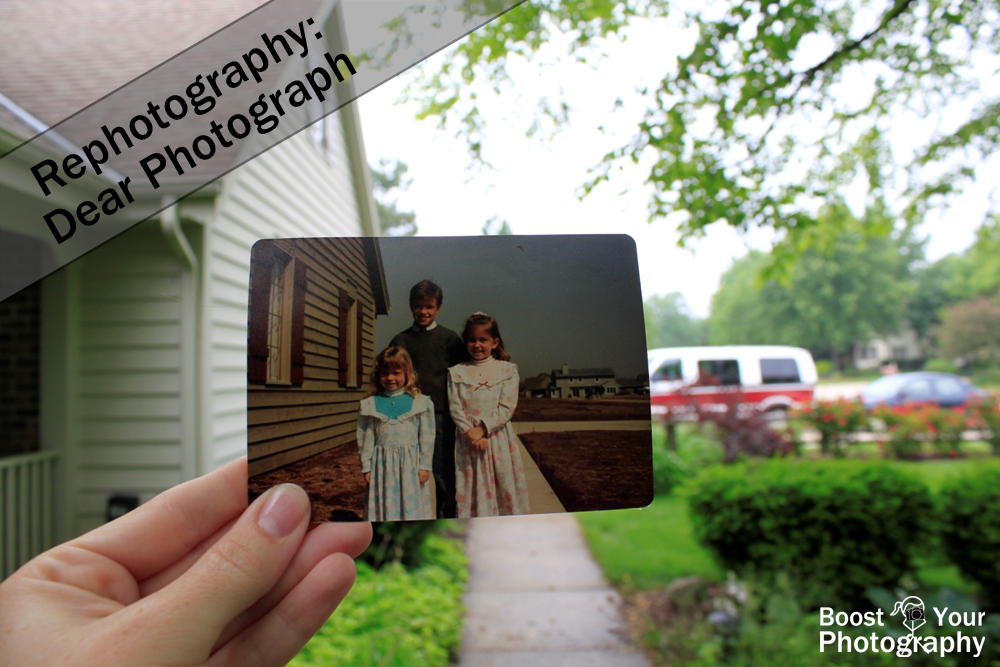
Rephotography: Dear Photograph | Boost Your Photography
  • Rephotography: Dear Photograph. This rephotography project idea comes courtesy of the web site Dear Photograph. All you need is a set of older photographs and the time to return to the original location and match your your shot. Presto! (Read the full article for more details.)
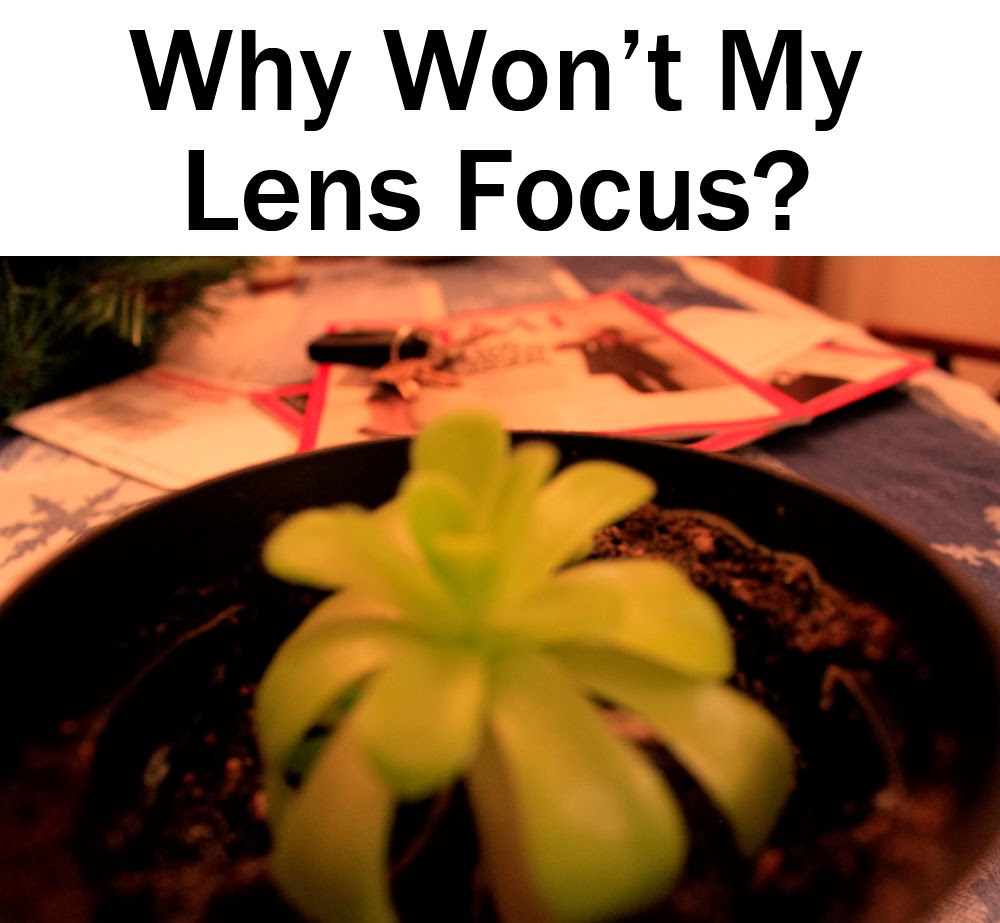
Why Won't My Lens Focus? | Boost Your Photography
  • Why Won't My Lens Focus?. This first article in our occasional series for beginners zeros in on some common focus problems and offers straightforward advice and suggestions for immediate correction.
  • Missed the Shot? Remember Camera Zero. This article covers the default settings (Camera Zero) that you should be using with your DSLR. Never miss a shot again by having your settings mixed up from your previous shooting.  Use Camera Zero, and you will always know your camera's settings!
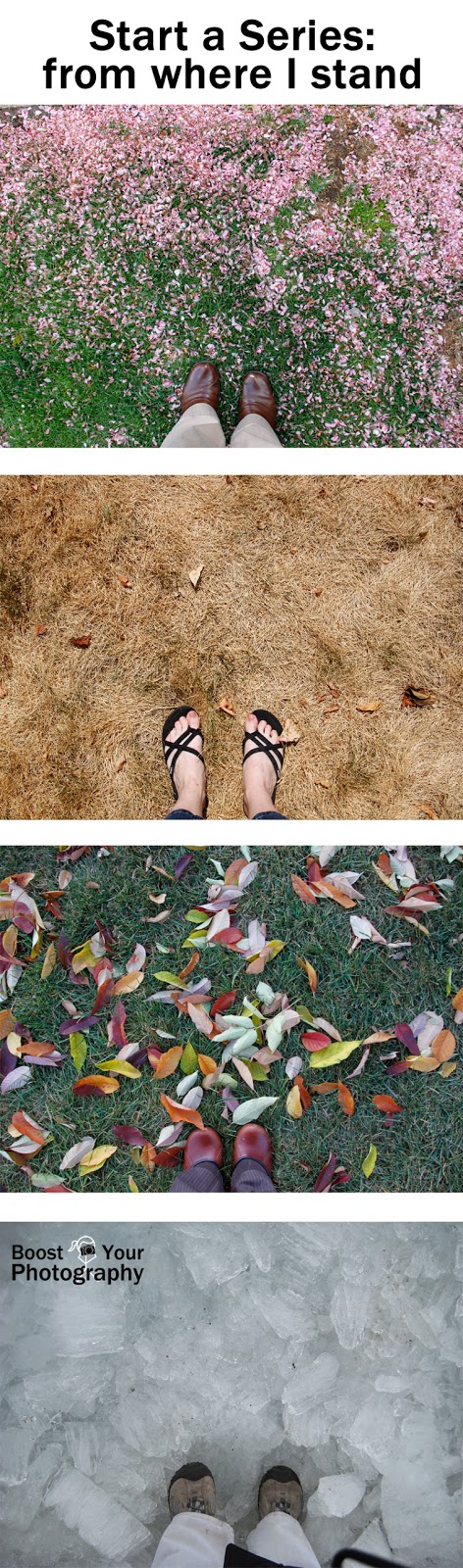
Start a Series: from where I stand | Boost Your Photography
  • Start a Series: from where I stand. This creative approach to selfies involves creating a collection of photographs where you include your feet for both context and scale. Read on for more ideas and inspiration!

Don't Miss a Single Post from Boost Your Photography

Follow along on Facebook

Follow along on Google+

Follow along on Twitter

Follow along on Pinterest

Follow along on Bloglovin'

Or, better yet, receive updates daily or weekly via email. Sign up below!

Subscribe to our mailing list

* indicates required


How would you like to receive updates? *


Saturday, May 10, 2014

Explaining Exposure and Exposure Compensation

Exposure is another fundamental topic in photography, and one that is often misunderstood or used in multiple, overlapping usages. This article will introduce the most important use of the term exposure: as a way of talking about the overall lightness and darkness of a given image.

Exposure is also the topic for the week of May 11th in the Boost Your Photography 52 Weeks Challenge (#byp52weeks). Read more about #BYP52Weeks or join the group here.

Explaining Exposure Compensation Scale | Boost Your Photography

Exposure Basics

If you are shooting in any mode other than full manual, your camera is the one calculating and determining the exposure for your photograph. When you shoot in Auto or a scene mode, for example, your camera evaluates the scene presented and chooses what it determines to be the correct ISO, aperture, and shutter speed to give you a 'correct' final exposure. Even in Aperture or Shutter Priority modes, you set the ISO and either the aperture or the shutter, and it is the camera that chooses either the shutter or aperture based on what it determines to be a correct exposure. There can be more than one 'correct' exposure however, and these are known as equivalent exposures. You can read more about correct and equivalent exposures in the article All about Exposure.

The important thing to know is that the exposure determined by your camera may not be the 'right' exposure, as envisioned by you, and that there are several ways to control your the exposure. The main method is to use exposure compensation. (You can read about some of the other methods for DSLR shooters in More on Exposure: how to fix common exposure problems in your photography or for point-and-shoot shooters in Teaching Kids Photography: shooting modes, focus, and exposure.)

Exploring Exposure Compensation

Exposure compensation is a way of telling your camera that you want a given photograph to be relatively lighter or darker than the calculated exposure. DSLRs and many point-and-shoot cameras have an option for adjusting exposure compensation while shooting. This number line graph often goes from values of plus-or-minus 2 for point-and-shoots to plus-and-minus 3 or 4 for DSLR cameras.

Changing Exposure Values using Exposure Compensation | Boost Your Photography
These values are measured in stops, which is a halving or doubling of the amount of light recorded by the camera. So, a photograph shot at +1 exposure compensation will have recorded twice as much light as a photograph shot at 0.

This infographic shows the progression of changing the exposure compensation from minus 4 to plus 3, using the exposure compensation graph.

(This series was shot using Aperture Priority mode with an aperture of f/5 and an ISO of 100, and the camera choose the shutter speed to match the given exposure value. Since each unit is one stop of light, each photograph represents a shutter speed that is double the amount of time from the previous image, ranging from 1/250 of a second up to a half second.)

As you might expect, as you move into the negative values on the exposure compensation scale, your overall photograph becomes much darker. For this particular composition, by the time you read -3 and -4, most of the color and details have been lost in shadow. This style of shooting - using a much darker than expected exposure - is known as low key.

Likewise, as you move into the positive values on the exposure compensation scale, your overall photograph becomes much lighter. By +3 for this composition, nearly the entire background has become blown out (white) and much detail has been lost in the flowers. This style of shooting - using a much lighter than expected exposure - is known as high key.

There are many situations where you may want a different final exposure than the one chosen by your camera. When shooting bright snow, for example, you might need to use +1 or a positive fraction in order to get the snow looking bright and white. When shooting a dark contrasty black and white shot, you might need to use -1 or a negative fraction in order to keep your background black and the only light falling on your subject instead.

If you are unsure about which exposure might be the one that you want, you can also use exposure bracketing (another option within exposure compensation available with DSLR cameras). Exposure bracketing allows you to shoot a series of 3 or more photographs at varying levels of exposure compensation (plus-or-minus 1 is a common choice for exposure bracketing). This gives you the additional benefit of choosing your favorite exposure later, after you have the opportunity to look at and compare them on your computer rather than simply the LCD screen of your camera.

Control Your Exposure

How will you take creative control of your exposure? Share your efforts in the comments below or, if you want a bigger challenge, come join us for the Boost Your Photography 52 Weeks Challenge #BYP52weeks!

Wednesday, May 7, 2014

Deciding Where To Focus

This week the Boost Your Photography 52 Week Challenge  is focusing in on Focus. Previous articles have covered the topics of Why Won't My Lens Focus? and Focusing on Focus: setting manual focus point selection and focus modes. This article will discuss the deeper issue of deciding where to focus when shooting.
Deciding Where To Focus | Boost Your Photography

Where to Focus: people, pets, and yes, statues

The old saying, "The eyes are the window to the soul," is never more true than in photography. If you are taking a photograph of a person, then the question of focus is an easy one: you want the eyes in focus. (Like any so-called "rule," there are, of course, exceptions.) We tend to look immediately at the eyes in a photograph, and out-of-focus or blurred eyes are one of the quickest ways for your brain to tell you that something is not quite 'right' with your photograph.

Look quickly at the two photographs below of the sandhill crane. Do you have a favorite? (You can click on the image to enlarge.)


Did you find that you were more drawn to the photograph on the right? Take a look below at the close-up view of the two photographs and specifically the eyes. You will see that the eye in the left-hand photograph is out-of-focus (due to the slight movement of the bird's head), while the eye in the right-hand photograph is sharp.

Your eye can detect tiny differences in sharpness and focus | Boost Your Photography

Now, you may be wondering, "What if there is more than one person or animal in the photograph?" The answer then is that you want to make sure that the eye nearest to the camera is the one in focus. Our brains are generally much more forgiving of blur if it is in the background of the image, rather than in the foreground. We often find background blur interesting and pleasing, but foreground blur seems distracting or even irritating. (Again, this is a broad generalization. Rules are meant to be broken.)

Focus on the Nearest Eye | Boost Your Photography

With this image of two cranes, the tack-sharp focus on the nearer eye is what makes this photograph work. Had I focused instead on the farther back eye, having the out-of-focus bird in the foreground would have been a much more awkward composition.

Focusing on the nearer/nearest eye works for any type of subject with eyes. Think beyond people and pets to even inanimate objects like statues or stuffed animals.

Admit it, the out-of-focus eyes bug you in the photograph.
(Focus is on the basket, behind.)

Where Do You Focus?

Agree? Disagree? How do you decide where to focus when shooting? Share your thoughts in the comments below.

Monday, May 5, 2014

5 Inspiring Ways to Display Photographs

Sometimes I think photographers are the worst at displaying their own photographs. We are happy to give away prints as gifts or create photo books to share with grandparents or family members, but how often do we stop and print some of our own work for our own enjoyment? This post is a collection of inspiring ideas to get your photographs off of your hard drive and into your house!

5 Inspiring Ways to Display Photographs | Boost Your Photography

Where to Print Photographs and Photography Gifts

Before you get into all the inspiring ideas below, you may want to take a minute to review these two articles about where and what to print. The first article, Photography Gifts for the Holidays, provides an overview of some of the common photography prints and gifts available from online retailers. From basics like prints, canvases, and cards, this article also introduces you to some of the more varied options like calendars, mugs, and even pillows or blankets!
Collage mug created on Shutterfly.com

The second article, Where to Order Photography Gifts, provides my overview of three of the most common online photography retailers in the US: Shutterfly, Snapfish, and Cafe Press. The article also opens with some overall advice about uploading and ordering photography gifts and how to navigate such sites. This is a good prerequisite before jumping in to your first online orders.

But, with that out of the way, let's jump into the great ideas for what to do with your photographs!

Create a Poster Collage


A collage poster is a great way to display a series of photographs. You can create a collage around a common theme, a common item, or simply a common trip or location. Read the full article, Photography Collages: start a collection, for more tips and ideas.

Create a Framed Collage


Another way to display a large collection of photographs is to create a framed collage series. This post from Captured Simplicity, Ideas for Wall Collage on Stairway, offers a variety of looks for arranging a group of framed prints in an inspiring and attractive way. I love her additional suggestion of using a collection of wallpaper or designed paper as "fillers" for empty frames while you are building your collection of shots. (Click the article title, above, for the whole article or click the image to see the pin.)


This next article, Decorating with Portraits, provides a great diagram of ideas for creating clusters of photographs around the house. Melissa Davis also provides some "real world" applications of her diagrams, so that you can really see the impact of grouping and displaying photographs together. (Click the article title, above, for the whole article or click the image to see the pin.)

Create a Flexible Display


Want to display a large number of photographs without the fuss of frames? Try this low-key idea: a simple clothesline and clothespins creates an easy but fun way to show off your photographs. This idea from Julie Ranee can be found in a longer article about her farmhouse renovation: Industrial DIY Farmhouse in Ohio.

Be Creative!


This one is by far my favorite, and the one project that I am really hoping to get to soon. The article, Personalized Photo Map by Cut, Craft, Create, walks you through the entire DIY process. I think the trickiest part would being sure to print each state at the appropriate scale to avoid cutting anything (or anyone) important out of the picture, but I envision this being a really fun project to add on to over the years. (Click the article title, above, for the whole article or click the image to see the pin.)

Do you have a creative idea for displaying photographs? Share your idea or link in the comments below!

Want more great ideas? Follow Boost Your Photography on Pinterest: Boost Your Photography


Saturday, May 3, 2014

Focus on Focus

Focus is one of, if not the, most important technique(s) to master in photography. A mis-composed photograph can be cropped or adjusted in post-processing, as can an overexposed or underexposed one. But a photograph where the focus is off cannot be salvaged. Knowing how and where to focus is critical for improving your photography. (Having other issues with focusing? Read Why Won't My Lens Focus?)

(Interested in boosting your photography with a community of like-minded photographers? Join the BYP 52 Weeks Challenge on Google+. Committing to taking a photograph a week can make a dramatic difference in your photography. Our first week's topic for May 4-10th is Focus.)


How to Focus

You need to be using manual autofocus point selection. (Don't panic, this is not the same as manual focus.) Most camera's default will be automatic autofocus point selection. In automatic mode, your camera analyzes the scene before it and it selects which autofocus point to use for setting the focus for your photograph.

Autofocus does not know your subject | Boost Your Photography

The problem is that in automatic mode, you are trusting your camera to know what your subject is and what you want in focus. Taking a picture of a group of people in front of a tree? Your camera may decide that the tree is more interesting and capture the tree in focus and the people blurry. Taking a portrait of a friend? Your camera may decide that their ear or nose needs to be in focus and that the eye and smile should be out of focus.

Focus on Focus | Boost Your Photography
View of the 9 autofocus points on my Canon T1i

Take charge. Switch your focusing mode to manual autofocus point selection and choose the middle autofocus point. Now, you know exactly where your camera will be using its autofocus and setting focus for the entire picture. This gives you technical and creative control over the focus.

Shooting with a point-and-shoot camera? If you press the shutter down halfway, you will see a box (usually) that indicates where your camera has chosen to focus. If you do not agree with the choice, let up on the shutter and try again. You can also use the "focus and recompose method" below.

Focus and Recompose

Now you have set only the center autofocus point for your camera to use, and you may be asking "But what if what I want in focus is not in the exact center of my picture?" An excellent question. Then you can use the "focus and recompose" method or choose a different autofocus point.


First, determine your composition. I liked the off-center placement of the Canadian goose in this photograph, giving him/her space to look off into, but my autofocus point is only on the grass. Then, move your camera slightly until the part of your subject you want in focus is in the exact center (I used the goose's eye). Press the shutter down halfway; this will lock the focus. Then you can move the camera back to the original composition, push the shutter the rest of the way down and take the picture. That's all there is to "focus and recompose!"

With a point-and-shoot, the process is the same. Determine the composition, and then move your subject into the exact center. Press the shutter halfway, and the focus box should match your subject. Then recompose and press the shutter the rest of the way to take the photograph.

If you know that you will be taking a series of photographs with an off-center subject, then you can also change which focus point you have selected. If your subject is in the bottom right, then go into the manual autofocus point selector and move the autofocus point to the bottom right instead of the center. (Just remember to always move it back when you are finished. Camera Zero will keep you ready for next time.)

Autofocus Modes

Another consideration with focus is knowing which autofocus mode your camera is using. DSLR cameras have several options for autofocus modes. My default is 'One Shot' (Canon) or AF-S (autofocus single for Nikon). In this mode, the camera will find and set focus individually for each shot.

Another autofocus mode is AI Servo (Canon) or AF-C (continuous-servo AF; Nikon). In this mode, the camera will attempt to track your moving subject and adjust the autofocus accordingly. This is a good mode to use if you are shooting sports or motion photographs, where you want to capture a quickly moving subject.

The final common autofocus mode is AI Focus (Canon) or AF-A (auto-servo AF; Nikon). In this mode, the camera determines whether you are shooting a still or moving subject and adjusts the focus accordingly. This method can take a little bit longer for the camera to find and lock focus than when using One Shot / AF-S, which is why I do not use it for a default.

Take Control of Your Focus

Setting your autofocus mode and changing to manual autofocus point selection will make an immediate difference in your photography. You are now in control of where the focus will be in your picture. Being able to control and set your focus will keep your subject in focus and help make far more of your photographs "keepers."


Boost Your Photography: Learn Your DSLR is now available from Amazon. Get the most out of your camera with practical advice about the technical and creative aspects of DSLR photography that will have you taking beautiful pictures right away.

Thursday, May 1, 2014

Google+ Growing Circles Hop (I'm Co-Hosting!)

Thursday means it's party time. Let's do this!


Welcome to the Google Plus Growing Circles Hop, where we network and share content all day long every Thursday.


Interested in Co-Hosting?
Send an email to 2justByou(AT)gmail(DOT)com with "G+ Hop Co-Host" in the subject line and include your blog and G+ links for consideration. We'd love to have you!


To make the most of this link party, please follow the rules below.
1. You MUST add your hosts and co-hosts to one of your circles before linking up. 
2. Link up your personal Google+ profile, blog or business G+ pages but NOT your blog URL. 
3. Share ONE post ONLY - (new or old) on G+ and use the hashtag #GrowingCirclesHop. 
4. Connect with others by clicking on your #growingcircleshop hashtag. Engage with at least 2-3 others by a Share, +1 or Comment. 
5. Add new friends to your circles. 
6. Grab a button for your blog, if you'd like. Help us spread the word so we can keep trending on Google Plus each week! (You can edit size to fit your blog in the code).
Mommy Mentionables

Throughout the next 12 hours, check back on G+ and +1 posts with the hashtag #growingcircleshop.


Google+ Tips

The real participation comes with sharing a blog post to G+ using the party's hashtag and engaging with others who are also sharing posts from this party. Interaction and engaging with others on G+ will bring you the most success!

You will notice some posts have a very large picture associated with their post and others have a tiny picture. To increase your chances of being shared, post a photo along with your post link and NOT the tiny one that gets posted automatically with the link. The bigger and more clear your photo, the better chance of it being shared because those are the posts that G+ users want to share with their followers.


If you want to be notified the next time the Hop starts, give us your email below and we will send you a quick notification the next time it goes live.