Showing posts with label Advice. Show all posts

Wednesday, July 15, 2015

Best Options for Printing Your Photographs


This post provides the results of a head-to-head comparison of six online photography retailers. The previous post in this series provided details about each of the companies. The next post will explore different media for printing your photographs (types and styles of paper and finishes).

Comparison of Online Printing Labs


I ordered a comparison set of 10 images from 6 different retailers in several different finishes. I was honestly a bit surprised at how widely some of the print results differed. (Apologies for the vertical and horizontal lines across the comparison images. These were a result of the scanner used. All similar images were scanned at the same time, however, to eliminate differences resulting from the scanner.)


I choose this photograph of Mammoth Hot Springs in Yellowstone National Park for its vivid colors and dramatic sky. I was curious to see how the different prints would handle both the range of colors as well as the range of tones in the sky.

As you can see from the comparisons, Pro DPI and Nations rendered a similar blue in the sky and contrasts in the clouds, while Mpix and Shutterfly lightened and brightened both the sky and clouds slightly. Target added an almost greenish hue to the sky, while Walgreens is the lightest, with a portion of the clouds blown out to white.


This comparison focuses in on the various orange terraces. All prints differed in their interpretation of both the colors and clarity of details in this section of the image. Pro DPI softened the contrast, while Mpix has a more accurate representation. The Nations print is extremely soft and nearly muddled, while Shutterfly is overly contrasty and has too much white. The Target print is washed out and dull, and Walgreens is overly shadowed and dark.


Photographs of people, and especially tiny people, are some of the nearest and dearest to our hearts. Thus, it was a bit shocking to see how poorly some of these baby prints came out. The Mpix print, while still a little brighter and oranger, came the closest. The Pro DPI and Nations prints came out darker and a bit more gray. The backgrounds for Shutterfly, Target, and Walgreens turned gray and lost the warm tones, while the face became varying degrees of dark and shadowy.

Comparison of Print Size and Cropping


A final consideration is print size and cropping. One might intuitively think that if you are ordering a 4 x 6" print, then you will receive a print that measures four by six inches, but that is not always the case. Both Pro DPI and Nations provided prints that measured exactly 4 x 6 inches. The prints from Mpix were slightly larger at 4 x 6 1/16 inches. Target and Walgreens provided slightly smaller prints at 4 x 5 31/32 inches and 3 15/16 x 6 inches, respectively. Shutterfly's prints were the smallest at 4 x 5 7/8 inches.


In addition to changing the size of the print slightly, each photo lab cropped the provided image. In the graphic above, the gray square represents one-half inch. The Nations prints contained the least amount of cropping from the original image, followed closely by Mpix and Pro DPI. Shutterfly, Target, and Walgreens all lost substantially more of the edges of the original image. (Keep in mind that this cropping also occurs along the other edges of the image as well, as demonstrated by the Walgreens crop, relative to the submitted image.)


And the winner is ...


Given all the various factors, in my book Mpix is the winner. Pro DPI had very good results, but at two to three times the cost of the other retailers, the higher prices do not seem worth it, especially if you are planning to print a large quantity of 4x6s for an album or scrapbook.

Nations was a close runner up. Because I do not have a color-corrected monitor, I appreciate that Mpix includes color correction as part of the cost of the prints. If you have already color-corrected your prints, then you may prefer Nations, though I do felt like many of the prints from them lacked clarity and were less crisp than others.

If I was in a hurry and need photographs printed immediately, I would go with Target, but be warned. Their online ordering applet is buggy, and if their machine goes down, it will likely be down for days or a week, as they do not have in-store (or even in-town, it seems) technicians. With both Mpix and Nations, prints arrived extremely quickly, within 4-5 days of ordering even without paying for expedited shipping, so you really do not need to plan that far in advance.

Want the specific details about each of the retailers, including print options and current pricing? Check out the first post in this series, Comparing Online Photo-Printing Companies. The next post in this series will discuss some of the different photo finishes available.


Boost Your Photography: Learn Your DSLR is now available from Amazon. Get the most out of your camera with practical advice about the technical and creative aspects of DSLR photography that will have you taking beautiful pictures right away.

Wednesday, July 8, 2015

Comparing Online Photo-Printing Companies


There are many options available online for printing your photographs, but they are not all created equal. This is the first post in a series about comparing online photo-printing labs and companies. This post provides some background about the six retailers compared. The next post will provide direct head-to-head comparisons of the photo printing results.

The Nitty-Gritty Details about Online Photo-Printing Companies


(Note, all prices were current as of the publication of this article, July 2015. Please check individual sites for current pricing.)

ProDPI

ProDPI is a professional-photography-focused company, but I included it in my review because it received top marks from another photography print review. Registering for the site includes a question about the name and web site of your photography business, but it is apparently not required for you to be a pro photographer.

Standard 4x6 prints are available for $0.69 each with a luster finish. Shipping is free for orders over $12 (and orders must be a minimum of $12 or will be rounded up to $12). Color correction is an additional $0.75 per image.

Nations Photo Lab

Nations bills itself as a high-quality print company for professional and hobbyist photographers alike. Photography prints are available, as are a wide-range of photography gifts, photo books, canvas wraps, frames, and more. Online ordering is available through a standard web-based upload as well as a downloaded upload program (a ROES, remote order entry system).

Standard 4x6 prints are available in both lustre and glossy finishes, starting at $0.27 each. Print upgrade options include metallic prints ($0.34 each) and linen texture (add $0.11 each). Color correction is also available (add $0.11-0.13 each). Shipping starts at $3.95 but is free for orders over $50.

Mpix

Mpix is the consumer-focused arm of professional photographing printing site Miller's. Mpix offers photography prints in addition to photography gifts, photo books, canvas wraps, and more. Online ordering is available through a standard web-based upload.

Standard 4x6 prints are available on e-surface paper, starting at $0.29 each and that includes color correction. (You may choose a "do not color correct" option when ordered.) Metallic prints and "true black and white" (matte finish) start at $0.59 each. Upgrades include a a luster coating is an additional $0.44 per image. Shipping starts at $3.95.

There is also an "economy" option for 4x6 prints for $0.19 which does not include color correction or any other upgrade options. Economy prints also come with a caution that they are "not eligible for reprinting due to brightness, color, or contrast issues."

Shutterfly

Shutterfly is a popular online photo retailer that sells a wide range of photography-related products, including prints, gifts, photo books, canvas wraps, cards, and invitations. Online ordering is available through a standard web-based upload.

Standard 4x6 prints are available in glossy or matte finishes for $0.15 each. There is an option to add a personalized message to the back of prints (but I have never had this actually work). You can either have prints shipped to you or pick them up at a local retailer, including Target ($0.19 each), Walgreens ($0.29 each or $0.20 each over 50 prints), and CVS ($0.29 each). Shipping charges and coupons only apply to online orders, not in-store pickups. (Coupon codes are frequent and generous, if you subscribe to their newsletter.)

(Note: Snapfish is another online photo retailer, similar to Shutterfly. I did not include Snapfish in this comparison because I had several quality problems with products from them.)

Target

Target Photo also offers its own photo-printing web site, where you can order prints to be shipping to you or to be picked up in store. Online ordering is available through an (oft-buggy) web-based upload.

Standard 4x6 prints are available for $0.19 in store (glossy only) or $0.15 when shipping, in either matte or glossy finishes. Luster is available for an additional $0.20 per print. Shipping starts at $1.75.

Walgreens

Walgreens Photo offers online print-to-store and shipped options. Online ordering is available through a web-based upload.

Standard 4x6 prints are available for $0.29 each in store or $0.12 each shipped. Glossy prints are available in-store and shipped, while matte finish is only available shipped. Shipping starts at $0.99 for five or less prints and rises from there.

And the winner is ...

Check out the next post, Best Options for Printing Your Photographs, which provides a head-to-head comparison of the printed results from all six labs.


Boost Your Photography: Learn Your DSLR is now available from Amazon. Get the most out of your camera with practical advice about the technical and creative aspects of DSLR photography that will have you taking beautiful pictures right away.

Wednesday, March 11, 2015

Memory Card Disaster: what to do about broken, corrupt, or damaged memory cards

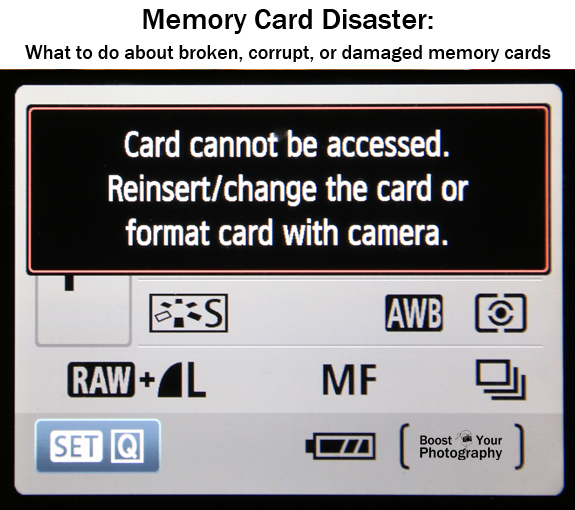
Memory cards are fallible, and, like it or not, some times memory card disaster strikes! The first post in this series introduced tips for how to Avoid Memory Card Disaster. This post will walk you through what to do if your memory card fails.


Memory Cards and Human Error

Briefly I wanted to address a few memory card mistakes that are caused by operator error, as in what to do if you accidentally deleted files from your memory card or if you accidentally reformatted a memory card before backing up the files.

Do not take any more pictures with that memory card.

If you have accidentally deleted files or reformatted and lost files, you do not want to take any further actions with that card. Deleted or reformatted files can often be recovered, but if you start saving new files, those files can "save over" the originals, rendering them lost forever. (My sister lost several hours of wedding photographs when her photographer mistakenly reformatted and then reused one of the memory cards from her wedding before downloading those files to her computer. Yikes.)

If you realize that you have deleted files you still want, it is likely that you will be able to recover those files using a data recovery software program. Scroll down to the data recovery section to read more.

Corrupt Memory Cards

A corrupt memory card is one that can still be read by your camera or computer but is either missing files or returning an error message. There are several thing different things that can cause a memory card to become corrupt. (Avoid doing any of the following actions.)


  • Deleting files manually or using a computer (rather than reformatting in camera) can clog up a memory card 
  • Magnets and static electricity (sparks or shocks) can mess up the electrical inner workings of your memory card
  • Removing your memory card while your camera is trying to write information to that card can cause it to become corrupt
  • If your battery dies while your camera is in the middle of writing information to your memory card, it can cause your card to become corrupt or damaged.

If your computer will recognize your memory card when you plug it in (either directly or with a memory card reader), then you can attempt to run data recovery software on your card.

Data Recovery Software

There are many different data recovery software programs available, all of which claim to be able to resurrect your deleted photographs from accidental deletion or a corrupt memory card.

Some highly recommended programs are available free online, including PhotoRec and Recuva from PiriformPhotoRec is a completely free, open-source software program. Recuva has two different versions: a fully functional free version and a professional version that offers tech support and upgrades (currently $25 USD).

SanDisk has its own software called Rescue Pro and Rescue Pro Deluxe (click here for the PC version, and click here for the Mac version). One of the benefits of this program is that there is a free trial version you can run to let you see whether your files are recoverable. Only after you know that the program will work do you have to pay for it (currently $40 USD standard or $60 deluxe for a year's subscription). You can read a fuller description (with screen shots) of how the software works in the article How to Recover Lost Files from a Memory Card.

But alas, there are still some memory card problems that cannot be overcome by photo recovery software. This last section will explore your options for what to do when data recovery software fails to solve your problem.

Damaged or Otherwise Unreadable Memory Cards

Unreadable memory cards are a significantly bigger problem than a corrupt card. If your camera and computer stop recognizing your memory card, then you will be unable to run any of the recovery software programs mentioned above. The only solution for an unreadable memory card is to send it off to a data recovery specialist who will physically disassemble your card and try to access the memory stored within it.


The problem with this solution is that it is a very labor intensive, and therefore expensive, proposition. There are many different companies available that offer these services, or you can ask your local camera company for recommendations. The manufacturer of your memory card may also make recommendations. SanDisk, for example, refers users to LC Technology, whose prices start around $150 and quickly escalate. The local company recommended by my camera store started around $250 for data recovery from a flash drive.

Read the fine print. Some companies will only charge you if they are successful at retrieving your date files, while others will charge you regardless. I highly recommend choosing a company that will not charge you if the process does not work, otherwise you could be out hundreds of dollars and still not get your digital files recovered.

Summary: Troubleshooting Memory Card Problems

There are many actions that can cause problems with your memory cards. Eventually, like most technology these days, they may just wear out. Avoid memory card disaster by caring for them safely and by consistently backing up your photographs using multiple, redundant methods.

If you accidentally delete files or reformat, do not keep using that card, and run data recovery software on it as soon as possible. If your memory card becomes corrupt, try running data recovery software to see if your files are recoverable. If your memory card becomes unreadable and is not recognized by your camera or computer, then you have to decide whether those deleted photographs are worth paying an expert or specialist to disassemble your card.

Let us hope that you never need the advice within the post, but if you do, it is here as a resource to help you in hopefully successfully recovering your files.


Boost Your Photography: Learn Your DSLR is available from Amazon. Get the most out of your camera with practical advice about the technical and creative aspects of DSLR photography that will have you taking beautiful pictures right away.

Thursday, March 5, 2015

Avoid Memory Card Disaster: proper handling and care of memory cards


It is a fear that lurks in the heart of every photographer - what if something should happen to my image files? We take every precaution. We make duplicate copies. We back up our computers. But yet we have all heard stories of failure. This post will walk you through how best to take care of your memory cards to prevent disaster, and second post in this series will explore common options to recover your files if disaster strikes. Though I hope you will never need the advice, it will be here if you do.

Proper Care of Memory Cards

Store Memory Cards Safely | Boost Your Photography

We all know the basics. Keep your memory cards safe and away from common hazards like dirt, water, and cold. Buy a simple memory card holder to store your cards when they are not being used in your camera. A portable weather-tight or water-proof case can be had for less than ten dollars and can hold multiple cards. Shop for memory card holders on Amazon.

Rotate your memory cards. Just like shoes, memory cards can wear down and wear out. How and when that will happen is not predictable, but you should be prepared. Many photographers recommend relying on a collection of smaller memory cards (say 8 GB or 16 GB), rather than storing all your photographs from one day or one trip on a single 32 GB or 64 GB card. If you do not regularly fill your cards to capacity, still think about switching to different cards, say once a month, to prevent any one card from constant wear.

Format your memory card in camera. Every time. Especially if you are putting a card into a different camera or are using a new card. Formatting your card helps reset it internally and keeps it functioning at its best.


I know there are those among us who dread the thought of deleting images from their card, but a memory card is a far less reliable means of long-term storage than your computer, the cloud, and multiple, redundant flash drives. (Not sure about adequate protection for your digital files once they are off your card and on your camera? Please read Top Tips for Camera Memory and Storage for important advice and suggestions.)

Get in the habit of reformatting your memory card before any big shoots. Once you know that your photos are downloaded to your computer and backed up at least twice, you should feel confident in reformatting and deleting them from your memory card.

Watch your battery levels. When your battery level indicator gets low on your camera, you should be prepared to switch to a new battery. If your battery dies in the middle of when your camera is trying to write a file to the memory card, it can cause the entire card to become corrupt, and you may be unable to retrieve any images from the card. Always be prepared with a backup battery, and you can feel confident replacing a low battery without having to discharge it completely.

Be careful when downloading from your card to your computer.  There are many ways to download your photographs to your computer - you can plug your camera into your computer, you can plug your memory card directly into your computer, or you can plug your memory card into a card reader. Whichever method you choose, take extra care when handling your memory card. Try not to touch the electrical contacts on the ends of your card. Avoid magnets and static electricity as well. As soon as you are done downloading, put your card either safely back in the camera or in its carrying case.

Next Steps

But, no matter the precautions, sometimes disaster strikes. The next post in this series will cover what to do if memory card problems arise.


Boost Your Photography: Learn Your DSLR is now available from Amazon. Get the most out of your camera with practical advice about the technical and creative aspects of DSLR photography that will have you taking beautiful pictures right away.

Saturday, February 28, 2015

Photographing Interiors

Interior photography is a special branch of architecture photography but has some of its own unique issues and strategies. This post explores some top tips for making the most of your interior photographs.


Interior Photography Tips


Declutter - Style Your Space. Clutter is one of the top problems with photographing interiors. There is a reason why real estate agents hire professionals when listing houses and why those professionals often bring along a stylist. Look critically at your room or composition, and do not be afraid to move, remove, or simply hide things that do not add to the overall story of the space.


Secret tip: when shooting a series of photographs for a before and after series for a friend, all I had to know was where I was going to stand to take the photographs. Then it was an easy task to simply move all the clutter (trash cans, Kleenex boxes, remote controls, etc.) out of view of the camera - off to the side, behind the couch, etc.

Utilize Natural Light. Natural light will add warmth and create an inviting feel to your interior photographs. Depending on the time of day and the quality of the natural light, you may also want to turn on any interior lights or lamps. A lit lamp looks much more inviting than a dark lamp. Read more on Ideas for Natural Light Photography.


Pay Attention to Vertical Lines. If you are trying to capture a full view of an interior space, you will need to use a wide angle lens, but you will also need to think about your height and angle for shooting. Pointing the camera up at your subject will cause your vertical lines to start converging (or coming together) towards the top of your image, while pointing the camera down will cause your lines to converge towards the bottom. With interior photography, your goal should be to keep your vertical lines vertical. Position your camera so that you can shoot straight on, use a wide angle lens, or consider correcting for the distortion in post-processing. Read more on How to Photograph Architecture.


Remember the Details. Vary your shots when shooting interiors. Yes, you want to capture sweeping vistas of an entire room or space, but do not forget to focus on the detail that make that space unique. Aim for a mix of wide angle and detail shots to truly capture the spirit of a place.


Use a Tripod. Interiors are often darker spaces, so a tripod is an invaluable resource. Using a tripod allows you to shoot at a narrower aperture to keep more of your photograph in focus (if that is your goal). This is particularly important if you are shooting in dim locations, such as the theater shot that opened this article. Read more on How to Maximize Your Tripod.

Do you have a favorite tip or trick for shooting incredible interior shots? Please share your thoughts in the comments below!


Boost Your Photography: Learn Your DSLR is now available from Amazon. Get the most out of your camera with practical advice about the technical and creative aspects of DSLR photography that will have you taking beautiful pictures right away.

Wednesday, August 20, 2014

Top Tips for Better Back to School Photos

As I teacher myself, I am acutely aware of the steadily growing hum of back to school reminders! Now is the time to set aside a little time and think about capturing a series of shots to commemorate this special moment in your child's life. These top tips will help you get the shots you want with a minimum of fuss and effort.


Do Your Homework

Take some time beforehand to plan out the type of shot or shots you want to capture. Nothing ruins a kid's mood and willingness to cooperate than scrambling around during the shoot trying to find something. Assemble any props beforehand and think about the best location, lighting, and timing for your shoot. Schedule your shoot the week before school starts (or earlier) to avoid adding pressure on the actual first day.

Start by celebrating the event and including the year or grade level your child is starting. One quick idea is to make or print a sign specific to your child's grade level. You can create your own or download every year's worth of cute signs from the pin below, just follow the link.


Get your child involved. Ask them to bring together a few of their favorite things, favorite books, or objects that represent hobbies and activities. This post pinned below, Creative Photo Ideas for Back to School, walks you through how the photographer and her children picked out items to represent them for their Back to School shots. Kid cooperation and ownership leads to better smiles and interest when shooting!


Another popular idea is to use PicMonkey, Photoshop, or other post-processing apps or software to add in the grade level or other specific details about your child. Plan ahead for this by leaving a wide area of space around your shot. You could also photograph your child in front of a blank wall or holding a large chalkboard, whiteboard, or even blank poster board.


Or, think beyond the wall and get creative with your post-processing skills. The series of photographs below shows how you can use a collection of book spines and personalize them with information about your child and the new school year. (Not into Photoshop? You could easily duplicate this effect with some good old copy-and-paste here in the real world. Print or draw your own labels and wrap them around books to use when shooting.)


During the Shoot

Once you have everything assembled and ready to go, make sure to choose a good location (available natural light is a big plus). Backyards with continuous shade and leafy backgrounds can work well for more nature-themed shots, while indoors with strong window light and clean backgrounds can work well for indoor shots. Hang a patterned sheet from your curtain rod or pinned up on the wall for an instant backdrop. If you are not familiar with how to utilize window light indoors for portraits, please check out this helpful post below from It's Always Autumn.


Now you are ready to shoot. Have a mental list (or physical list) ready of the types of shots and poses you want to capture. Think about detail shots and close-ups as well as more standard full-body or head shots. (Not sure about posing? Check out these Top Tips for Photography Portraits and Posing for suggestions.) Kid-cooperation is always an uncertain thing, so do not push too hard or try to capture too many different ideas in one go.

Be ready with your settings. If you are a shoot-on-auto kind of shooter, think about trying Portrait mode. If you want to move beyond portrait, shoot in Aperture Priority (Av or A). Choose a wide aperture if you want a blurred background or a middle range aperture to keep your child and a wide range of props in focus. Set focus on the eyes (read Deciding Where to Focus for more details). Watch your shutter speed. With too slow of a shutter speed (like 1/50th or slower) your own movements may add noticeable "shake" to your photographs.

Finally, don't forget to go beyond "Say cheese!" Ask your child questions while shooting, to draw them out and get more natural-looking shots than just posed, canned smiles. Tell some funny jokes or ask them to tell you one. Have them talk about some of their hopes (or fears) about the new school year. Make it quick, make it fun, and make your shots count.

A Final Word of Advice

However you choose to do your child's Back to School photographs, please do not become "that parent." The first day of school while at school is not the time to be indulging your photographic urges. Once your child is at school and ready to start their first day, they need to be free to get down to the business of catching up with friends, meeting their teacher, and focusing in on their first activities and lessons.

Please do not be the parent who demands that their child sit and pose at their desk when they would much rather be meeting new friends. And please do not be the parent who is still in the classroom photographing when class is starting and the teacher is trying to get the year off to a great start. We teachers thank you.


Boost Your Photography: Learn Your DSLR is now available from Amazon. Get the most out of your camera with practical advice about the technical and creative aspects of DSLR photography that will have you taking beautiful pictures right away.

Saturday, August 9, 2014

Analyze to Improve Your Landscape Photographs

Landscapes are another classic photography subject, and this post will lay out the basics for quickly improving your landscape photographs by learning how to analyze landscape photographs.

Analyze to Improve Your Landscape Photographs | Boost Your Photography

(This month for the Boost Your Photography: 52 Weeks Challenge we are working on popular photography subjects and styles. The week of August 10th will focus on landscapes. Join the Google+ Community to share your weekly photographs and receive feedback.)

Landscape Photography Basics: subjects and supplies

"Landscape" is a very general photography term, but most often one imagines a vast natural scene with everything in pin-sharp focus. While there are many different ways to photograph a landscape, this post will focus on this most traditional of approaches.

To begin, you need to find your subject. If you do not have travel plans lined up for an exotic locale or National Park this week, do not despair. Landscapes and vistas can be found in all sorts of places, if you just know how to look. Spend some time thinking about or, better yet, visiting some local parks in your neighborhood, town, or county.


The photograph above was shot at a local conservancy park, which was formerly a working farm. The shot has that vast landscape "feel" even though it only encompasses a single field in area. You do not need miles of visibility to capture a quality landscape shot.

Once you have a location in mind, spend some time planning out your shot. Do you want to shoot at a certain time of day? (The golden hour around sunrise and sunset lends gorgeous colors to landscape shots.) Think about where you want to position yourself to get the best composition. (Read more about the basics of composition in Perspective in Photography: Don't Just Stand There: Move Your Feet.) Many of the same tips from last week's post on sunrise and sunset photographs will also apply, especially watching the clouds and creating foreground interest (Read the details in 5 Easy Tips for Sunrise and Sunset Photographs.)

As for equipment, you will want to start with a wider angle lens (around 18-40 mm) and consider also using a tripod and remote shutter release. Many landscape photographs are shot at narrow apertures to achieve a wide depth of field, and these shots will be more successful with a tripod. (Read more on How to Maximize Your Tripod and about why to upgrade to an Inexpensive Remote Shutter Release.) Finally, consider using one or more filters for your landscape photographs. Circular polarizers and neutral density filters are common in landscape photography. (Get more details in this Introduction to Filters in Photography.)

Example Landscape Photography Analyses

There are many composition rules (well, more like guidelines) that can help you with your landscape photography, and many of these are the same rules we discussed in June for that month's Boost Your Photography 52 Weeks Challenge. (Click on any term to read more about the Rule of Thirds, Leading Lines, Filling the Frame, Orientation, and Using a Frame.) Rather than reiterate each of them again, let's analyze a few example landscape photographs and see what works. Knowing what to look for in a landscape photograph will help you know what to look for when setting up your own landscape shots.


Let's start with a longer look at the sunflower photograph from before. I really wanted to feature the cloud pattern above the sunflowers, so I used the rule of thirds to put the sunflowers in the bottom of the frame and the clouds across the top two-thirds. The vertical orientation adds to the feeling of height in the image and the sky. The sun had risen about a half-an-hour ago, so there is still a bit of the golden hour in the lighting.

The settings for this photograph were ISO 100, f/7.1, and 1/60th, and I used both a tripod and remote. The mid-range aperture keeps the first rows of sunflowers in focus but allows the rest of the background field to blur into bright yellow shapes. This gives an in-focus foreground of sunflowers, a blurred middle ground of the rest of the field of sunflowers, and the background border of the trees. Having each of these three elements helps add depth to the final photograph, even those the actual distance is only a few hundred feet.


Now, this is a landscape image that does rely on a vast view to create interest. Following the Rule of Thirds we find the location of the tiny, tiny people in the bottom left intersection point, contrasting with the largest of the carved structures in the upper right intersection point. This image also has a very clearly defined foreground, middle ground, and background. The rock outcropping at the bottom provides the foreground, providing an anchoring point for us as the viewer. (I was midway up a very large staircase at the time.) The main section of carvings and structures forms the foreground, and the curving road leads the eye through the image towards the mountains in the background. The light is directional, giving shadows to the people and the structures, and still contains a hint of the morning's golden glow.

Because I was traveling without a tripod, this image was captured at ISO 100, f/11, and a shutter speed of 1/125. This gave me a shutter speed quick enough to freeze the motion of the people and to safely handhold. The aperture of f/11 gives a reasonable depth of field, and the majority of the photograph appears in focus.


This is related to a photography concept known as "the hyperfocal distance." While this may sound confusing, the basic idea is that you do not always need to use the narrowest aperture to get the whole of your photograph in focus. If you know the hyperfocal distance for your lens, then you know at what distance you need to set your focal point to keep everything in focus. The chart above provides you with a rough set of guidelines. So, for the photograph above, shot at 20 mm with a crop camera, I needed to focus 6.2 ft away from me at f/11 to have everything from 3 feet to infinity in focus. If you want more details on the hyperfocal distance, click the pin to read the whole article.

Looking for more landscape composition tips and ideas? Check out this pinned post from Digital Photography School:


Analyze to Improve Your Landscape Photographs

Spend some time with a favorite landscape photograph and see if you can apply some of these same types of analyses. Think about what really makes that image stand out for you. Then, see if you can take those same ideas and principles and apply them to your own landscape photography. This is not about "imitating" another photograph or another photographer's style, but it is about learning what works and what you like and figuring out how to capture that for yourself.

Not sure where to start? Here are a few of the ideas we've discussed in this article for analyzing landscape photographs.


  • Think about the composition. Was the photographer using (or breaking) a specific rule or rules of composition? Think about the rule of thirds, leading lines, filling the frame, orientation, using a frame, and more.
  • Think about the foreground, middle ground, and background. Do you notice distinctions between all three in the photograph? How does (or does not) this give the photograph a sense of depth and dimension?
  • Think about the depth of field. Is the whole photograph sharp and in-focus? If so, how does that sharpness draw your eye in or around the image? If not, what do you notice about what the photographer chose to focus on and what is out-of-focus?
  • Think about the light. Can you tell what time of day this photograph was taken? How does the light influence the shadows or the colors of the photograph?
  • Think about the sky. How do the clouds or the colors of the sky work with the rest of the photograph? If the sky is interesting, emphasize it by including more sky in the final photograph. If the sky is less interesting, emphasize the land by including more of it in the final photograph - or compose to eliminate the sky altogether.


(Looking to grow more in your photography? Consider joining the BYP 52 Weeks Google+ Community to share your weekly photograph and see what others are capturing.)


Boost Your Photography: Learn Your DSLR is available from Amazon. Get the most out of your camera with practical advice about the technical and creative aspects of DSLR photography that will have you taking beautiful pictures right away.

Saturday, August 2, 2014

5 Easy Tips for Better Sunrise and Sunset Photographs

5 Easy Tips for Better Sunrise and Sunset Photographs | Boost Your Photography

Sunrises and sunsets are a wildly popular subject for photography. This article will teach you a few simple tips that will make a dramatic impact in your sunrise and sunset shots.

(This month for the Boost Your Photography: 52 Weeks Challenge we are working on popular photography subjects and styles. The week of August 3rd will focus on sunrises and sunsets. Join the Google+ Community to share your weekly photographs and receive feedback.)

Better Sunrise and Sunset Photographs

Tip 1 for Better Sunrise and Sunset Shots: Know When to Shoot | Boost Your Photography
Tip 1: Know When to Shoot

Timing is critical for sunrise and sunset photographs. For best results you want to be in position at least a half an hour to an hour beforehand and stay at least a half an hour to an hour afterwards. Sunlight will continue to strike the clouds and illuminate the sky for some time before the official sunrise and after the official sunset.

Sunrise and sunset times are quite easy to come by, just be sure that you are getting the timing for your specific location and time zone. Time and Date.com is a simple-to-use web site where you can search by location and receive sunrise and sunset times (and moon rise and moon set times) for a specific day or an entire month at a glance. The Photographers' Ephemeris is another excellent tool for determining sunrise and sunset times, but that leads us to tip #2 ...

Tip 2: Know Where to Shoot

Knowing when is only half the battle for sunrise and sunset shots. You also want to know where exactly in the sky to expect the sun to rise or set. This is when you will want to consult The Photographers' Ephemeris. The ephemeris is free to download on your computer or laptop, or you can pay to download the app onto your phone or tablet ($4.99 for Android or $8.99 for iPhones and iPads). (*Update: the downloadable version for desktops is being discontinued and replaced with a - still free - web version. Web version pictured below.)

The ephemeris provides you with sunrise, sunset, moon rise, and moon set times in addition to the angles at which each will be in the sky. You plot your location on the map, and then you can see exactly where the sun will line up when it rises, for example. If you want to capture the sun or moon relative to a specific location or landmark, you can move yourself around on the map and find out exactly where you would have to stand. (You can see more examples and specifics in the article Shoot the Moon with the Photographers' Ephemeris.) Try it on your computer, and once you realize you cannot live without it, invest in the app.

Tip 2 for Better Sunrise and Sunset Shots: Know Where to Shoot | Boost Your Photography


Tip 3: Watch the Clouds

The clouds will make or break your sunrise and sunset photographs. Too many clouds, and you will lose your ability to see the sunrise or sunset. Too few clouds, and you are left watching only subtle changes across a blue sky. Clouds often provide much of the drama and excitement in sunrise and sunset photographs. Clouds bounce and reflect the varying light of the sun, adding a wide range of colors and tones to your final image. Clouds create patterns and shapes that add interest and textures. If you want to shoot a better sunrise or sunset shot, you will want to cheer on the clouds.

Tip 3 for Better Sunrise and Sunset Shots: Watch the Clouds | Boost Your Photography
This photo is nothing without these amazing clouds.

Tip 4: Create Foreground Interest

A sunrise or sunset is just a sunrise or sunset unless you provide some additional interest within the frame. If you want to make your sunrise and sunset photographs stand out, then you need to pay attention to your foreground.

Tip 4 for Better Sunrise and Sunset Shots: Create Foreground Interest | Boost Your Photography

The strong, directional light of sunrise and sunset provides a great opportunity to play with silhouettes. Consider subjects with strong, identifiable shapes, like a lone tree, a single person, or a beach umbrella. Get down low to make your foreground objects larger and have more impact, like a large boulder in the sea or the waving blades of grass. Take some time to walk around your scene and experiment with different perspectives to add interest to your photograph. And if you really want to make your sunrise or sunset images pop ...

Tip 4b: Include Some Water

This is really an extension of the idea of foreground interest, but water is a clear winner when shooting sunrise and sunset shots. Ponds, rivers, lakes, or even the ocean create a vast canvas for your sunrise or sunset shots. Still water creates stunning reflections that can double the light and drama of the scene. Even moving water will reflect and bounce around the light, adding interest and color to your photographs.

Tip 4b for Better Sunrise and Sunset Shots: Include Some Water | Boost Your Photography

Larger bodies of water also provide a wide-open canvas for your photograph. Water can eliminate much of the clutter of daily life (telephone wires, that tree that blocks your view, and on and on). You often see a much wider expanse of the sky as well, allowing you more options: from expansive wide-angle shots to narrow, zoomed-in views.

Tip 5: Nail the Exposure

Sunrise and sunset shots are difficult for your camera to accurately choose the exposure, and if you let your camera control exposure you will find that the shots you take do not match the vision or grandeur of the sunrise or sunset you witnessed.

Option 1: Meter off the Blue Sky

You can use a patch of blue sky to "tell" your camera where to set the exposure and then recompose and take your photograph. With a point-and-shoot camera, point your camera at the patch of blue sky and then press and hold the shutter button half-way down. This will lock both the focus and the exposure. Move your camera back to the composition that you want and then push the button the rest of the way down to take the picture. (Read more about this strategy of "focus and recompose" in the article Teaching Kids Photography: shooting modes, focus, and exposure.)

Tip 5 for Better Sunrise and Sunset Shots: Meter off the blue sky | Boost Your Photography

With a DSLR camera, point your camera at the patch of sky and push the AE Lock button. (You may have to enable this button on your camera. Check your manual.) Then recompose for the composition that you wanted and press the shutter. (Read about this strategy more in depth in More on Exposure.)


Option 2: Use Exposure Compensation

If you cannot find a large enough patch of blue sky or you want a more consistent solution, then you should set your exposure compensation. On both point-and-shoot and DSLR cameras, you should have an exposure compensation line graph. (Some phone cameras and apps also have an exposure option.) For sunrises and sunsets, I have found that an exposure compensation of -1 often works well. You can either set your exposure compensation to -1 or use bracketing to shoot a series of shots (like, -1, 0, +1 or better yet, -2, -1, 0) and then choose your favorites later on your computer. An exposure of -1 makes it more likely that darker elements will become black silhouettes and that a bright sky will have more depth and drama. (Read more in the article Explaining Exposure and Exposure Compensation.)

Tip 5 for Better Sunrise and Sunset Shots: Use Exposure Compensation | Boost Your Photography

Sunrise and Sunset Photographs

Of course, as with most photography, the key elements in getting the best sunrise and sunset photographs are time and patience. Make a commitment this week and plan time in your schedule for photographing either a sunrise or sunset. Put all or just a few of these tips into practice, and see what kind of an impact they can make for you!

(Looking to grow more in your photography? Consider joining the BYP 52 Weeks Google+ Community to share your weekly photograph and see what others are capturing.)


Wednesday, July 16, 2014

An Introduction to Filters in Photography

An Introduction to Filters in Photography | Boost Your Photography
Filters are an important photographic tool, and there are many different types and brands available. This post will provide a quick overview of the four most common types of filters used with DSLR cameras, including what they are, how they are used, and example photographs taken with them. (All filters shown are the actual filters that I personally use when shooting.)

Filters are pieces of glass that attach to the front of your lens and serve a variety of purposes. Filters can be for protection or for achieving a certain effect or look in your photograph without post-processing.

There are two main systems for filters. Most manufacturers make screw-on filters that attach directly to the front of your lens. When purchasing this style of filter, you need to know the diameter of your lens (indicated with the Ø symbol). While you can attach more than one filter to your lens, you may run into the problem of the edges of your filter showing up in the corners of your image, which is less than desirable. Also, if you have multiple lenses with different diameters, you have to buy separate filters for each one.

The second system for filters is the Cokin series of filters and holders, where you attach a filter holder to the front of your lens and the filters themselves are larger than your lens and generally rectangular. With the Cokin system, you simply buy a different adjustable piece to attach the holder to lenses of different diameters, but you can use the same filters on all your lenses. The Cokin filters generally cost more up-front but are worth it if you need to use them with different lenses or want to use many filters simultaneously.

Personally, I currently use screw-in filters, and well-regarded brands include Hoya and B+W. If you are already further invested in photography, equipment, and lenses, you may want to consider the Cokin series of filters and holders. I am seriously considering making the switch myself when I can next justify the expense. If you are just starting out and only have a few lenses, then you can stick to screw-on filters, but if you know that you want the flexibility of the Cokin system, then it makes sense to invest in their filters from the start.

UV Filters

UV or ultraviolet filters are among the most common photography filters. Many new camera or new lenses come packaged with UV filters. A UV filter is a basic measure of protection for your camera and your lens. A quality UV filter has no negative impacts on your images or image quality, but the UV filter protects the surface of your lens from direct contact with dust, dirt, sand, fingerprints, and all other matter of debris. A UV filter can also protect your lens from breakage due to human error, especially if you drop or bump the front of your lens up against something. Recommended brands for UV filters include B+W and Hoya. Read more about the importance of UV filters in this post on Lens Accessories.

B+W UV Filter

Circular Polarizers

A circular polarizer is a two-piece filter. The near piece screws into the front of your lens, and the far piece is free to rotate. Just like polarizing sunglasses or car windows, a circular polarizer changes which wavelengths of light are visible through the filter. This effect can serve to emphasize the blue in blue skies and cut down or eliminate reflections in water.

Hoya Circular Polarizer

(Polarizer tip: if you have a pair of polarizing sunglasses, spend some time tilting and rotating your head while looking up at the blue sky or down at a polarized wind shield. You will get an immediate sense of the impact of a polarizing filter.) Polarizers also eliminate reflections and glare in water and are commonly used in waterfall photography. (Read more in Yes, Go Chasing Waterfalls.) You can read more about how to use a circular polarizer in the article Improve Your Fall Photography: use a polarizer or check out polarizers here.

Impact of a Circular Polarizer | Boost Your Photography

Neutral Density Filters

A neutral density filter blocks some amount of light from your lens and sensor. These filters are called "neutral" because they should not have any impact on the color or color cast of your final image. (Inexpensive neutral density filters often leave a blue or purple color cast in your photograph.) Being able to cut down on the amount of light reaching your sensor is useful in many situations when you want a longer shutter speed.

Fotga Variable Neutral Density Fader
(This is one I don't recommend unless you just want a cheap filter to see what the effects look like.)

There are many different varieties of neutral density filters. The one pictured above is a variable neutral density filter. Like a circular polarizer, it has two connected elements that can be rotated. The version of the left shows the minimum amount of light being blocked, while the version of the right shows the maximum amount of light being blocked. This allows you to control how much light is being blocked simply by turning the filter. Tiffin makes a well-regarded variable neutral density filter, but there are many different styles and brands of variable neutral density filters or neutral density faders available.

Impact of a Neutral Density Filter to Smooth Water | Boost Your Photography
20-second exposure obtained using a Variable Neutral Density Fader in mid-afternoon 

Most neutral density filters are sold in an individual "strength" and are not adjustable. These tend to be of much higher quality than the variable filters. You can stack filters by screwing more than one on to each other and adjusting the effect that way. This is where the Cokin system really shines, as it is very easy to slot different filters and different strengths in-and-out of the holder, and you can use several ND filters together without risking edges appearing in your image.

Zykkor Split ND Filter
(Again, this is a very cheap version to try out the effects. You can already see the purple color cast to this filter.)

Another type of neutral density filter to consider is the Split Neutral Density. A split ND filter only blocks light from half of the photograph, and you can find both hard split ND filters (a sharp dividing line in the middle) and gradual split ND filters (a more gradual transition, like the one shown above). Split ND filters are used when you have a scene that is much brighter in one half of the image than the other. With circular split ND filters, you spin and adjust the outer ring to level the split, while with the Cokin system of split ND filters, you adjust the filter holder itself.

Impact of a Split Neutral Density Filter | Boost Your Photography
Sunrise shot with the Zykkor Split ND Filter, which allowed significantly more color and light in the reflection to balance the brightness of the sky.

Split ND filters are commonly used by landscape and travel photographers to shoot sunrise and sunset images, especially with large foregrounds or reflections. In the example above, you can imagine how the sky was much brighter in reality than its reflection in the water. Using the split ND filter allowed me to better balance the two exposures - making the sky darker so that both the sky and the water reflection could shine.

Impact of a Split Neutral Density Filter | Boost Your Photography
Another example shot with the Zykkor Split ND Filter
For this photograph of the sunflowers, I used the split ND filter again to block out some of the light from the sky. Otherwise, the sky would have appeared much lighter, and the storm clouds would have lost some of their dark and brooding look.

Summary: Filters

There are many different styles, brands, and systems of filters available, and this article has laid out the four most commonly used by photographers. Think about what your current needs are and which filters suit you best. If you do not already have UV filters for your lens, start there. Then, think about what you shoot most. Are you outside where a polarizer would make a big difference? Do you aspire to shoot long, smooth waterfalls or impossibly smooth water shots? Then look into neutral density filters. Do a lot of sunsets or sky photos where a split neutral density filter would make the difference? Worried about the price tag? Consider buying a cheap knock-off ND filter just to try it out. If you are addicted to the look, upgrade. Whatever you choose, spend the time to really get to know your filter and what it can do for you.